Views: 0 Author: Site Editor Publish Time: 2025-10-23 Origin: Site
In today’s connected world, a reliable and high-speed internet connection is no longer a luxury—it’s a necessity. As homes, offices, and public spaces become increasingly populated with multiple devices, the choice of wireless technology plays a crucial role in ensuring smooth and uninterrupted connectivity. Two of the most prominent WiFi standards available today are WiFi 5 (802.11ac) and WiFi 6 (802.11ax).
While WiFi 5 brought substantial improvements in speed and coverage over its predecessors, WiFi 6 takes wireless networking to a whole new level, offering faster speeds, better efficiency, and the ability to handle multiple devices simultaneously. This article explores the key differences between WiFi 5 vs WiFi 6, how they connect in modern networks through ONT with router or ONU dual band router setups, and their real-world applications across homes, offices, and public spaces.
By understanding these differences, users can make informed decisions about upgrading their networks to meet the growing demands of today’s digital lifestyle.
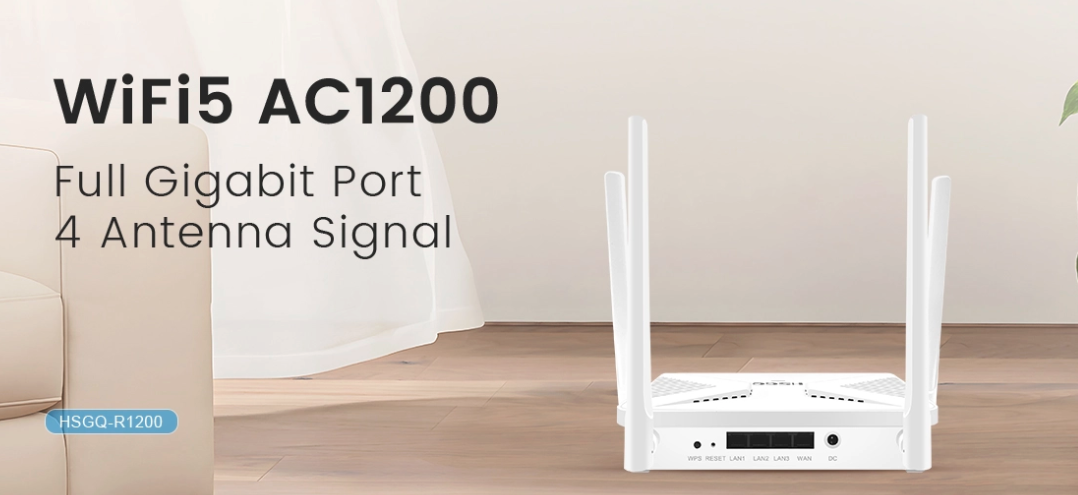
WiFi 5 (802.11ac): Operates primarily on the 5 GHz band, with a maximum theoretical speed of up to 3.5 Gbps. Ideal for HD streaming and moderate online gaming.
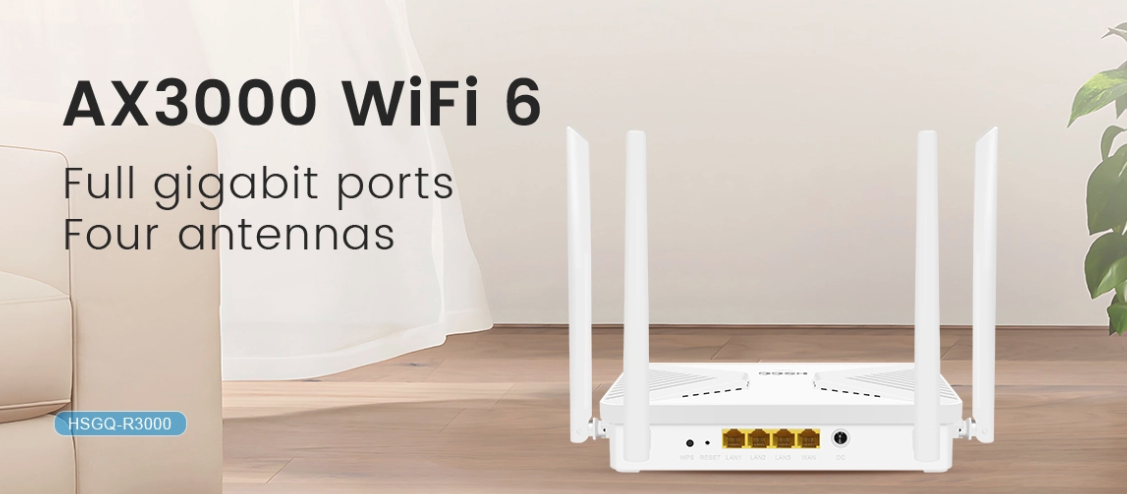
WiFi 6 (802.11ax): Operates on both 2.4 GHz and 5 GHz bands, with a maximum theoretical speed of 9.6 Gbps. Supports more devices simultaneously, providing smoother performance for 4K/8K streaming, online gaming, and multiple high-bandwidth applications.
WiFi 5: Supports MU-MIMO (downlink 4x4), allowing a limited number of devices to communicate simultaneously.
WiFi 6: Advanced MU-MIMO (8x8, uplink and downlink) and OFDMA allow multiple devices to share bandwidth efficiently, minimizing congestion.
WiFi 5: Coverage typically ranges 20–25 meters indoors.
WiFi 6: Enhanced coverage up to 45 meters with technologies like BSS Coloring and improved beamforming, maintaining stable connections in dense environments.
WiFi 5: Supports WPA2 encryption.
WiFi 6: Supports WPA3 encryption, offering stronger network security and protection against cyber threats.
| Feature | WiFi 5 (802.11ac) | WiFi 6 (802.11ax) |
|---|---|---|
| Speed and Performance | 5 GHz band, max 3.5 Gbps | 2.4 GHz/5 GHz bands, max 9.6 Gbps |
| Device Handling | MU-MIMO (downlink 4x4) | MU-MIMO (8x8, uplink/downlink), OFDMA |
| Range and Coverage | 20–25 meters indoors | Up to 45 meters with BSS Coloring, beamforming |
| Security | WPA2 encryption | WPA3 encryption |
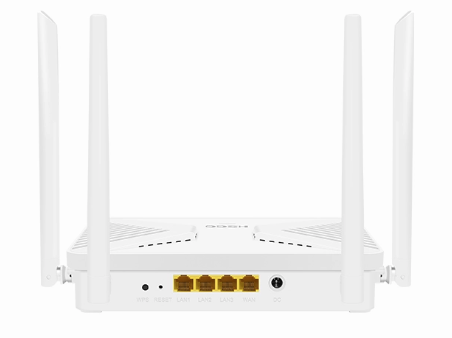
Modern fiber-optic networks rely on ONT with router or ONU dual band router configurations to deliver high-speed internet to homes, offices, and public spaces. The choice between WiFi 5 and WiFi 6 significantly impacts speed, coverage, and the ability to handle multiple devices simultaneously. Here’s an in-depth look at how these technologies fit into modern networking setups:
An ONT (Optical Network Terminal) with router serves as the bridge between the fiber-optic network and end-user devices. It converts optical fiber signals into Ethernet signals and distributes them wirelessly using WiFi. Selecting a WiFi 5 or WiFi 6 ONT router determines how efficiently your network can handle data:
WiFi 5 ONT router:
Ideal for smaller households or offices with a limited number of devices.
Supports high-definition streaming, video calls, and standard online browsing efficiently.
May face limitations in multi-device or high-bandwidth scenarios due to less advanced MU-MIMO and OFDMA capabilities.
WiFi 6 ONT router:
Designed for high-density environments, such as smart homes with numerous IoT devices or offices with multiple employees.
Offers up to 9.6 Gbps theoretical speed, significantly higher than WiFi 5, allowing for seamless 4K/8K streaming, online gaming, and large file transfers.
Supports 8x8 MU-MIMO and OFDMA, ensuring multiple devices can communicate simultaneously without congestion.
Reduces latency and enhances battery efficiency for connected devices with Target Wake Time (TWT).
By using a WiFi 6 ONT router with fiber-optic connections, users can maximize the bandwidth provided by the fiber network, ensuring stable and fast connectivity for every device in the home or office.
A dual-band ONU router transmits signals over both the 2.4 GHz and 5 GHz frequency bands simultaneously. The dual-band approach allows devices to connect to the band best suited for their location and usage, balancing speed and coverage.
WiFi 5 ONU dual band router:
Handles dual-band connections but may struggle in crowded networks with many high-bandwidth devices.
The 2.4 GHz band can become congested, and the 5 GHz band may have limited range.
WiFi 6 ONU dual band router:
Dynamically assigns devices to the most appropriate frequency band for optimal performance.
Reduces congestion through OFDMA and advanced MU-MIMO, improving upload and download speeds even in busy households or offices.
Ideal for video conferencing, online gaming, and simultaneous high-definition streaming across multiple devices.
With WiFi 6-enabled dual-band ONU routers, the network can intelligently manage bandwidth allocation and ensure all devices, from laptops to smart home appliances, enjoy stable, high-speed connectivity.
Modern ONTs increasingly support multiple WiFi standards (WiFi 4, WiFi 5, and WiFi 6) to maintain backward compatibility while future-proofing networks.
Benefits of WiFi 4&5&6 ONT:
Older devices can still connect using WiFi 4 or WiFi 5 without slowing down newer devices on WiFi 6.
Ensures gradual network upgrades without the need to replace all existing equipment.
Provides flexibility for mixed-device environments, such as homes or offices where older laptops, tablets, or IoT devices coexist with new WiFi 6-compatible equipment.
Optimized network performance:
WiFi 6 devices automatically utilize advanced features like BSS Coloring to reduce interference and Target Wake Time to save battery life.
WiFi 5 and WiFi 4 devices can coexist on the same network without compromising overall performance.
By combining a WiFi 6 ONT router or dual-band ONU router with fiber-optic networks, users can enjoy ultra-fast, low-latency connections, smooth multi-device support, and a future-ready home or office network.
Modern homes often have multiple connected devices, from smartphones and laptops to smart TVs, security cameras, and IoT appliances. The choice between WiFi 5 vs WiFi 6 can significantly affect performance:
WiFi 5: Adequate for HD video streaming, smart TV connectivity, video calls, and general internet browsing. It supports most traditional devices well but may experience slower speeds or latency when multiple users stream 4K content simultaneously or connect numerous smart home devices.
WiFi 6: Perfect for smart homes with multiple IoT devices, high-definition 4K/8K streaming, online gaming, and multiple users simultaneously. WiFi 6 routers, especially when integrated with ONU dual band routers or WiFi 4&5&6 ONT, can intelligently allocate bandwidth across devices and reduce congestion. Smart homes benefit from Target Wake Time (TWT), a WiFi 6 feature that extends battery life for IoT devices like smart locks, sensors, and cameras.
By combining ONT optical fiber with a WiFi 6 router, families can enjoy seamless streaming, gaming, and online learning experiences, even in larger homes with multiple floors.
Workplaces today require reliable high-speed connections for numerous employees, multiple video conferences, cloud-based applications, and VoIP services. Here’s how WiFi 5 and WiFi 6 perform:
WiFi 5: Suitable for small offices or coworking spaces with fewer connected devices. It can handle basic tasks such as emails, file sharing, and casual video calls efficiently. However, in offices with many devices or high-bandwidth tasks, performance may degrade due to congestion or limited MU-MIMO capacity.
WiFi 6: Recommended for large offices, conference rooms, and high-density environments. With 8x8 MU-MIMO and OFDMA, WiFi 6 can handle multiple devices simultaneously without slowing down the network. Integration with ONT with router or ONU dual band router ensures that employees enjoy stable connections across the office. Applications like cloud computing, HD video conferencing, and remote collaboration are smoother and more reliable with WiFi 6.
Moreover, WiFi 6 routers support advanced security protocols like WPA3, essential for protecting sensitive business data in office networks.
Public WiFi environments often face heavy device density and interference, making performance challenging:
Airports, cafes, and malls: WiFi 6 provides stable connections for hundreds or thousands of users at the same time, supporting activities like live streaming, mobile payments, and real-time updates.
Campuses and stadiums: WiFi 6 excels in high-density areas by minimizing latency and optimizing bandwidth allocation through OFDMA and BSS Coloring. Students or attendees can stream lectures, access online platforms, and share content simultaneously without interruptions.
Using WiFi 6 routers connected to ONT optical fiber in these spaces ensures high-speed internet from the fiber backbone to end-user devices, even when network traffic peaks.
The integration of ONT optical fiber with modern WiFi solutions unlocks the full potential of high-speed broadband:
WiFi 5 ONT routers provide solid performance for standard households and small offices but may reach capacity limits in dense device environments.
WiFi 6 ONT routers and ONU dual band routers fully leverage fiber-optic bandwidth, offering high throughput, lower latency, and more stable connections.
WiFi 4&5&6 ONT compatibility ensures backward compatibility, so older devices can still connect without sacrificing network performance for newer devices.
This setup is ideal for:
Multi-story homes requiring coverage across all floors
Smart buildings with multiple IoT systems
Businesses relying on cloud services and real-time collaboration tools
By deploying ONT optical fiber with WiFi 6 routers, users future-proof their network, optimize bandwidth, and provide a seamless experience for all devices, making it suitable for residential, enterprise, and public applications.
WiFi 5 (802.11ac) primarily operates on the 5 GHz band with a maximum theoretical speed of 3.5 Gbps, suitable for HD streaming and moderate online use. WiFi 6 (802.11ax) operates on both 2.4 GHz and 5 GHz bands with speeds up to 9.6 Gbps, supports more devices simultaneously, reduces latency, and offers advanced features like MU-MIMO, OFDMA, and Target Wake Time (TWT).
Yes. Modern WiFi 4&5&6 ONT devices are backward compatible. Older devices can connect using WiFi 4 or WiFi 5 without slowing down the network, while WiFi 6 devices benefit from faster speeds, improved efficiency, and lower latency.
Yes. WiFi 6 excels in crowded areas like airports, cafes, malls, campuses, and stadiums. It optimizes bandwidth allocation, reduces interference, and supports simultaneous connections for hundreds or thousands of devices, especially when integrated with ONT optical fiber backbones.
WiFi 6 offers enhanced coverage, typically up to 45 meters indoors, thanks to advanced beamforming and BSS Coloring. WiFi 5 generally covers 20–25 meters indoors and may experience signal degradation in dense or multi-device environments.
Choosing the right WiFi standard—whether WiFi 5 or WiFi 6—depends on your specific networking needs, the number of connected devices, and the desired speed and coverage. For modern households, smart offices, and high-density public spaces, WiFi 6 provides a future-proof solution with advanced features like MU-MIMO, OFDMA, BSS Coloring, and Target Wake Time, ensuring smooth, reliable, and secure connectivity.
For businesses and consumers seeking high-performance networking equipment, Shenzhen HS Fiber Communication Equipment CO., LTD. offers a wide range of state-of-the-art WiFi 6 routers, dual-band ONU devices, and WiFi 4&5&6 ONT solutions. With years of experience in fiber communication and advanced networking technologies, the company provides reliable, high-speed, and efficient solutions that cater to modern connectivity demands, ensuring every device in your network achieves optimal performance.