Views: 0 Author: Site Editor Publish Time: 2026-09-29 Origin: Site
Choosing the wrong SFP module can cause unstable links and unnecessary costs.
Network performance depends on speed, fiber type, distance, and compatibility.
This article explains how to choose an SFP module for different applications.
You will learn speed selection, installation methods, compatibility checks, and troubleshooting solutions.
An SFP module is a compact optical transceiver used in switches, routers, servers, and other network devices. It converts electrical signals into optical signals, then converts received optical signals back into electrical data. In simple terms, it helps your device communicate through fiber.
It is widely used in enterprise networks, telecom systems, security monitoring, data centers, and access networks. Because it is hot-swappable in many devices, users can replace or upgrade it without changing the main equipment. That makes it flexible for different projects and upgrade plans.
Speed is one of the first factors to check. It affects network capacity, traffic handling, and upgrade potential. Common types include 1G SFP, 10G SFP+, 25G SFP28, and higher-speed 40G, 80G, or 100G modules for large-scale applications.
| SFP Type | Transmission Speed | Typical Applications |
|---|---|---|
| 1G SFP Module | 1Gbps | Office networks, standard fiber links |
| 10G SFP+ Module | 10Gbps | Data centers, server uplinks |
| 25G SFP28 Module | 25Gbps | Cloud networks, modern servers |
| 40G/80G/100G SFP Module | Higher bandwidth | AI data centers, backbone networks |
A lower speed may limit network growth. A higher speed may increase cost without real benefit. The best choice should match your present workload and future plans.
An SFP module only works well when it matches the port and device. A 10G module will not provide value if the switch port only supports 1G. Some ports also support fixed speeds only, while others allow more flexible operation.
Before purchase, check the switch model, router specifications, supported transceiver list, and firmware version. This step helps avoid common installation failures.
Note: Always confirm whether the device supports the selected SFP rate before ordering large quantities.
A 1G SFP module is still useful in many networks. It works well in office LANs, basic enterprise links, standard surveillance systems, and moderate traffic environments. If your bandwidth demand is stable and your budget is limited, it remains a practical option.
It also offers wide compatibility and easier deployment. Many older switches and routers still use 1G ports, so it is often the safest choice for legacy systems.
A 10G SFP+ module is suitable for higher traffic networks. It is often used in server links, storage systems, enterprise backbone connections, and data center environments. When more users access data at the same time, 10G helps reduce congestion and improve response speed.
If your network carries large files, video traffic, or cloud services, 10G usually offers a better balance between performance and cost than 1G solutions.
High-speed modules are designed for advanced environments. A 40g/80g/100g SFP module is often used in cloud computing, AI systems, large storage networks, and backbone links. These applications handle large traffic volumes and require stronger transmission capacity.
However, buyers should not select high-speed modules only because they sound advanced. They should verify switch support, fiber infrastructure, and real traffic needs before investing.
Good planning reduces later replacement costs. If your traffic is growing fast, a slightly higher specification may be wise. If your network is stable and simple, overspending on advanced modules may not help.
A useful question is this: what will your network need in two or three years? If you can answer that early, your SFP choice becomes much clearer.
Tip: Build around expected traffic growth, not only today’s traffic level.
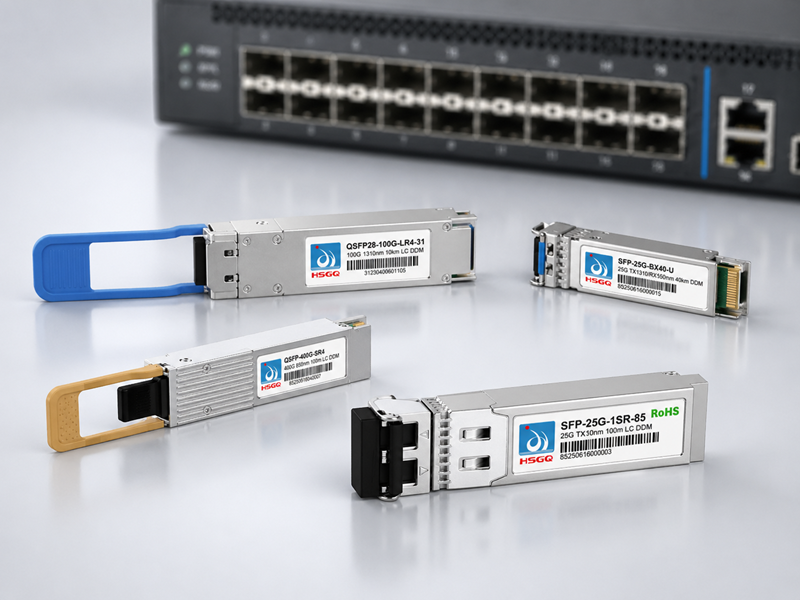
Fiber type is another major decision. The main options are single mode and multimode. An SFP module single mode is designed for long-distance transmission. A multimode module is designed for shorter links, often inside buildings or campuses.
| Feature | Single Mode SFP | Multimode SFP |
|---|---|---|
| Fiber Type | Single mode fiber | Multimode fiber |
| Distance | Long distance | Short distance |
| Application | Telecom, long links | Data centers, local links |
| Cost | Usually higher | Usually lower |
When discussing SFP module single mode vs multimode, the core difference is distance and fiber infrastructure. If your link is long, single mode is usually required. If the link is short and your cabling is multimode, a multimode module is more suitable.
Distance affects wavelength, power budget, and module type. Some modules support short links inside one room. Others support 10 km, 20 km, 40 km, or even longer distances.
If the selected distance is too short for the real environment, the signal may fail. If it is much longer than required, the cost may rise without need. Always confirm the real deployment distance before buying.
Besides distance, users should check connector type, wavelength, transmit power, and receiver sensitivity. Many modules use LC connectors, but not all systems are identical.
These details help prevent signal mismatch. Even when speed looks correct, wrong optical parameters can still cause unstable links or no communication at all.
Compatibility is one of the most common concerns. Some switches and routers are flexible. Others require strict coding or only recognize approved module types. That means a technically correct SFP may still fail if the host device rejects it.
Check the device brand, port type, firmware version, and supported transceiver list. If needed, ask the supplier to confirm host compatibility before shipment.
A good compatibility review should include several key items:
| Specification | Purpose |
|---|---|
| Speed | Matches network performance |
| Fiber Type | Matches cable infrastructure |
| Wavelength | Ensures proper optical transmission |
| Distance | Meets deployment requirement |
| Connector | Fits physical connection |
This checklist helps reduce field errors. It also improves purchasing accuracy when several teams work on the same project.
Some network devices require coding that matches their brand system. Others can use third-party compatible modules. In either case, buyers should confirm it before ordering.
If you are comparing solutions, you can review products and discuss host requirements with the supplier. A compatibility test before mass deployment is always helpful.
Note: Compatibility problems are often found after installation, but they should be checked before purchase.
Before inserting the module, review the host device, port speed, fiber type, and module specifications. Confirm whether the equipment supports hot swapping. Clean fiber connectors and inspect the cable condition.
This preparation helps prevent dust-related signal loss and wrong connection errors. It also saves time during deployment.
The basic process is simple. Insert the SFP module into the correct port. Connect the matching fiber cable. Power on the system if required. Then check link status, interface recognition, and traffic performance.
If the device needs configuration, set the required interface parameters, VLAN settings, or link monitoring functions. For broader network solutions, you can also explore HSGQ for related fiber communication products.
Good maintenance extends service life. Keep connectors clean, avoid strong cable bending, and monitor optical power when possible. If the environment is dusty, schedule inspections more often.
A damaged module should be replaced early. Reusing a faulty module can waste troubleshooting time and affect other parts of the network.
Tip: Regular optical inspection helps find signal degradation before it becomes a service failure.
No signal is one of the most common issues. It may be caused by wrong cable direction, mismatched wavelength, wrong fiber type, damaged cable, or unsupported module coding.
Start by checking the physical connection. Then verify TX/RX direction, confirm fiber type, and review the port status. If needed, replace the module with a known good unit for testing.
An unstable link often points to optical issues. Dirty connectors, excessive distance, fiber damage, or power mismatch can all reduce signal quality.
Use an optical power meter if available. Clean both ends of the connector. Inspect the jumper and patch panel. Then confirm whether the selected module supports the required transmission distance.
Sometimes the device does not detect the module at all. This often happens because of coding limits, unsupported speed, or firmware restrictions. In such cases, the module may be functional but still unusable in that host.
Check the switch manual, firmware version, and supplier compatibility list. If you are using mixed-brand equipment, ask for verified compatibility support. You can also review SFP-related solutions when planning broader system integration.
Note: If the device cannot read module information, compatibility should be checked before replacing cables or rebuilding the link.
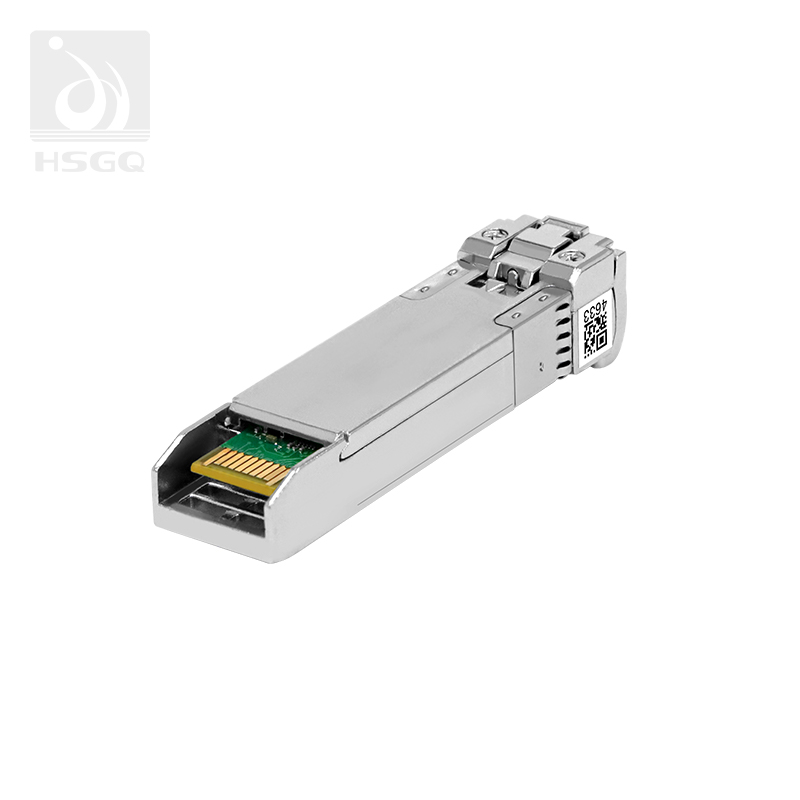
A strong supplier should provide clear specifications, consistent quality control, and test results. Buyers should check whether the supplier offers complete speed options, distance choices, and fiber type coverage.
They should also ask about optical performance testing, compatibility checks, and product inspection processes. A professional supplier reduces project risk.
Not every application needs the same product. Compare solutions by speed, fiber type, distance support, and compatibility level.
| Factor | Importance |
|---|---|
| Speed Options | Matches network demand |
| Fiber Type | Determines application range |
| Distance Support | Ensures stable transmission |
| Compatibility | Prevents installation issues |
A supplier that understands these factors can recommend better options, not just cheaper ones.
After-sales support matters, especially for engineering projects. Good suppliers help with compatibility guidance, installation questions, replacement service, and troubleshooting.
If your network includes optical access systems, it may also help to review related GPON products and confirm how the SFP modules fit the full solution.
Tip: A supplier who answers compatibility questions clearly is usually easier to work with after delivery.
Before buying, review the main project conditions. This simple checklist can help:
| Requirement | Purpose |
|---|---|
| Network speed | Select suitable SFP performance |
| Fiber type | Match cable infrastructure |
| Transmission distance | Avoid signal loss |
| Equipment compatibility | Ensure stable operation |
| Application environment | Select correct module type |
This list helps teams avoid ordering mistakes. It also improves communication between engineers and buyers.
Several mistakes appear again and again. Some users choose speed without checking the device. Some ignore the difference between single mode and multimode. Others overlook coding and compatibility limits.
These errors can create delays, extra cost, and repeated testing. A simple pre-purchase review can prevent most of them.
The right SFP module improves more than one link. It supports better network reliability, smoother data transmission, easier maintenance, and stronger future scalability.
When buyers select carefully, they reduce failure risk and improve the whole communication system. That is why SFP selection should be treated as a technical decision, not only a purchasing task.
Selecting the right SFP module requires checking speed, fiber type, distance, and compatibility.
HSGQ provides reliable optical communication solutions with stable performance and flexible options for different network applications.
Its professional products and technical support help customers build efficient and scalable fiber networks.
A: An SFP module is a fiber transceiver that connects switches, routers, and servers for optical data transmission.
A: Select an SFP module based on bandwidth needs, device support, and future network expansion plans.
A: SFP module single mode supports longer distances, while multimode options fit shorter data center links.
A: Check fiber connections, compatibility, wavelength, and optical power to troubleshoot SFP module link failures.